
Mirror: LED Makeup & Beauty
Applab StudiosBeauty
3.710.00 Reviews
- Version
- 1.4.1
- Installs
- 10.00K
- Age Rating
- Everyone
Screenshots
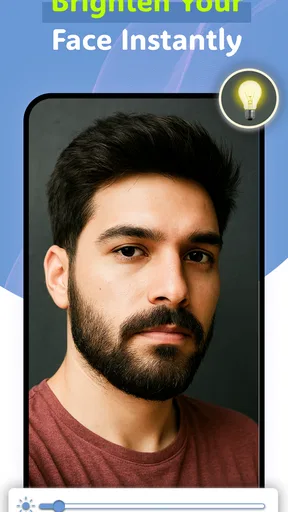
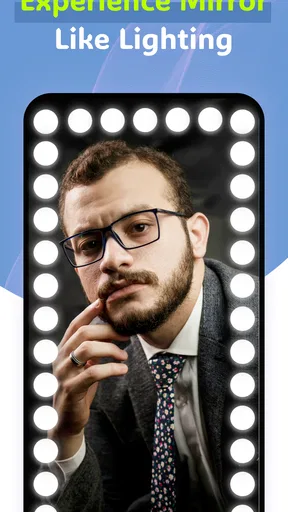
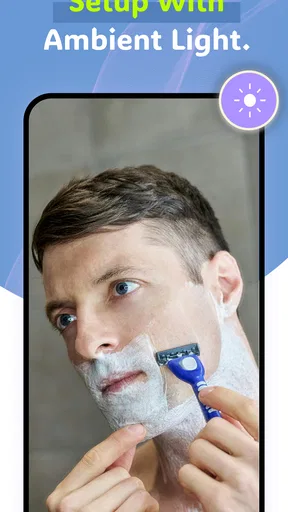
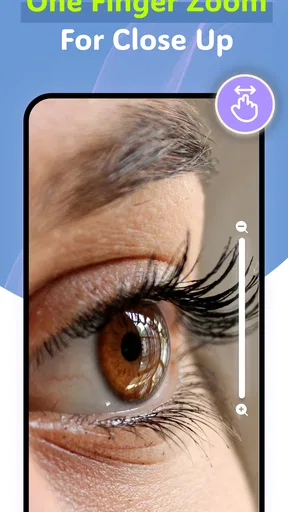
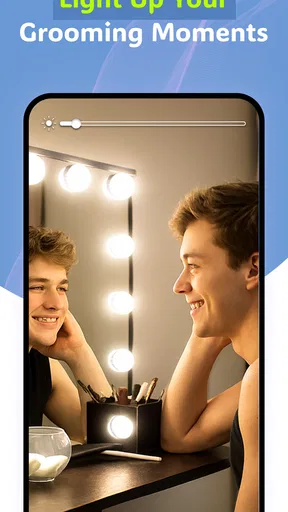
Our Review of Mirror: LED Makeup & Beauty
 Analysis by Appyee
I have found that the simplest tools can be the most useful when they solve a small problem at exactly the right moment. Mirror: LED Makeup & Beauty is built around that idea: it turns an Android phone into a practical personal mirror, with a front-facing camera view, zoom, full-screen display, and an LED light option for situations where the room is not helping. After using it as a quick grooming tool rather than treating it like a full beauty suite, I think its appeal is clear. It is convenient, focused, and free, but it is also limited by the phone itself and should not be mistaken for a sophisticated makeup camera.
The app comes from Applab Studios and sits in the beauty category. Its average score is 3.7 from roughly a hundred ratings, with about ten written reviews and more than ten thousand installs. Those numbers suggest a small, practical utility rather than a heavily developed social or editing platform. That distinction matters: the real question is not whether it can replace every mirror in your home, but whether opening it is easier than finding a clean, well-lit reflective surface when you need one.
How the mirror works in everyday use
The basic experience is refreshingly direct. I open the app, look at the live camera image, and use the screen as a personal mirror. The full-screen view is especially important because it removes distractions and gives the face more room on a small display. The zoom control is useful when I need to inspect a small area, such as checking whether an eyebrow needs a final touch or whether an eyelash has settled properly.
That zoom is best used carefully. A phone camera is not the same as standing at a normal distance from glass, and moving too close can make facial features look less natural. I get more reliable results by keeping the phone at a comfortable arm’s length, using modest magnification, and moving the device slightly rather than immediately pushing the zoom to its limit. This is one of those small habits that makes the app feel much more useful than the short store description suggests.
The LED light is the feature that gives the app its strongest practical reason to exist. In a dim bedroom, a hallway, or a public restroom with poor lighting, the screen can provide extra illumination while the camera shows my reflection. It is not the same as a dedicated ring light, and it cannot create flattering studio lighting, but it can make details easier to see. I find it most helpful for quick checks rather than for carefully matching foundation or judging subtle color differences.
A realistic use case is getting ready before leaving home when the main bathroom is occupied. I can stand near a window or under a ceiling light, open the app, switch to the full-screen view, and check my hair, face, or shaving line without carrying a separate mirror. Another is traveling light: the phone is already in my pocket, so I do not need to pack a compact mirror for a short trip. The app is also handy at work or after a commute when I want to check my appearance discreetly before a meeting.
For shaving, the camera view can be more flexible than a fixed wall mirror. I can angle the phone to see under the chin or turn my face without leaning awkwardly toward the glass. The trade-off is that I have to hold the device while grooming, so both hands are not always available. I would use it for checking edges and missed areas, not as my only aid for a full, careful shave.
Where the lighting feature helps most
The LED option works best when the problem is simply that there is not enough light. It is less impressive when the surrounding light is uneven. If one side of the face is near a bright lamp and the other side is in shadow, the phone cannot completely correct that imbalance. I get better results by facing a window or moving toward a neutral light source first, then using the app’s illumination as support.
That leads to a useful workflow: position the phone slightly above eye level, keep the face turned toward the strongest available light, and use the screen light only to fill darker areas. This produces a more dependable view than relying on the LED feature alone. It also reduces the temptation to interpret every visible skin detail as a problem caused by makeup or grooming. Harsh close-up lighting can be unforgiving, so I prefer to use the app for practical checks rather than perfectionism.
The screen itself becomes part of the experience. A larger, brighter display is naturally more comfortable for this purpose than a small, dim one. On a phone with a narrow screen, the full-screen mode still helps, but the result will feel more cramped. This is not a flaw unique to the software; it is an important limitation of using a phone as a mirror. The app makes the most of the device, but it cannot give a larger reflection than the display allows.
Useful details beyond a quick glance
One overlooked advantage is control over viewing distance. With an ordinary mirror, I usually adjust my body position. With this app, I can hold the phone farther away for a more natural overall view, then bring it closer for a targeted inspection. That makes it easier to switch between checking the general look of a hairstyle and examining a small area around the eyes or lips.
I also like that the app is not trying to push me into a social workflow. There is no need to prepare a post, choose a filter, or turn a grooming check into a photo session. That makes it better suited to private, functional use than beauty apps designed around selfies. If my goal is simply to see myself clearly for a few seconds, a focused mirror utility is less distracting than opening a camera app filled with capture and editing controls.
At the same time, this focus means I should not expect advanced beauty tools. The app’s purpose is viewing, not reshaping, retouching, virtual makeup, or creating polished portraits. That is a strength when I want an honest live view, but a weakness if I am looking for color simulation or appearance editing. A dedicated makeup try-on app is a better choice for experimenting with products before buying them.
The main weakness is still the phone camera
The biggest limitation is not the idea of the app but the hardware behind it. Front cameras vary widely in sharpness, color handling, field of view, and low-light performance. A phone with a soft or noisy selfie camera will produce a soft or noisy mirror image here. The LED can make the scene brighter, but brightness is not the same as accurate detail or natural color.
This matters most for makeup. I would not use this mirror alone to decide whether a foundation shade matches perfectly, whether blush is blended invisibly, or whether a lipstick has the exact finish I want in daylight. The camera may alter colors, while the screen may make contrast appear stronger or weaker than it looks in person. For those decisions, a real mirror near natural light remains the safer reference.
There is also a practical issue with holding the phone. A traditional compact mirror can be opened and positioned while both hands remain available for a small touch-up. With this app, one hand is occupied by the device unless I place it somewhere stable. That makes it less convenient for detailed eyeliner, two-handed hair styling, or anything that requires steady work close to the face.
Battery use and comfort are worth considering too, even during short sessions. Keeping the display active and using the camera is more demanding than looking into glass. The app is not a replacement for a physical mirror if I am preparing for a long routine. I see it as an on-demand tool: open it, check what I need, and close it rather than leaving it running beside me for half an hour.
The experience can also be affected by glare. A bright screen in a dark room may reflect light back toward the face or make it harder to judge subtle textures. Lowering the phone’s brightness when possible, changing the angle, or moving into a better-lit area can help. This is another reason I would treat the illumination feature as an emergency assist rather than a complete lighting solution.
Who should use it and who should choose something else
I think this app is a good fit for someone who frequently needs a mirror away from home, travels with minimal luggage, or wants a quick grooming check without installing a large beauty editor. It also suits people who prefer a live, unfiltered view instead of a tool that changes facial features. The free price makes it easy to try, and the Everyone content rating keeps it accessible for general household use.
It is particularly practical for quick shaving checks, hair adjustments, contact-free appearance checks before going out, and confirming that makeup has not smudged during the day. I would recommend it to a student moving between rooms, a commuter who wants a discreet check before an appointment, or a traveler who does not want to carry extra accessories.
I would steer professional makeup users, beauty creators, and anyone shopping for a virtual try-on experience toward a more specialized application. Those users need more than a live reflection: they may want product overlays, color comparison, image capture, lighting controls, or editing. This app’s simplicity becomes a disadvantage when the task involves detailed cosmetic planning or content creation.
It is also not the best choice for someone who dislikes holding a phone near the face. A tabletop mirror, compact mirror, or illuminated vanity mirror is more stable and often more comfortable for a long grooming session. The usual physical alternatives also work without battery concerns and generally provide a more natural reflection. The app wins on portability and availability, not on every aspect of the mirror experience.
The current version is 1.4.1, and it supports Android 7.0 or later. That makes it suitable for a range of older Android phones as well as newer devices, although the final image quality will still depend heavily on the handset’s front camera and display. I would check those two hardware elements before judging the app too harshly: a capable phone gives this simple utility a much better chance to feel polished.
My final view after using it as a real mirror
The best way to judge this app is as a convenient backup mirror, not as a complete beauty workstation. In that role, it does several things well. The live camera view is immediate, full-screen presentation keeps the experience focused, zoom helps with close checks, and the LED option is genuinely useful when lighting is poor. Those features address everyday problems without burying the main function under unnecessary tools.
Its weaknesses are equally clear. It cannot overcome a weak front camera, it is not a reliable authority for exact makeup color, and holding the phone can make detailed grooming awkward. The light can improve visibility but cannot reproduce the balanced illumination of a dedicated beauty mirror. Anyone expecting filters, virtual cosmetics, or professional-level control will likely find the experience too basic.
For me, the deciding factor is convenience. When I need a fast check and there is no mirror nearby, opening this free utility is easier than improvising with a dark phone screen or a reflective window. I would keep a physical mirror for careful makeup and shaving, but I would still recommend this app to Android users who want a lightweight emergency option. Applab Studios has kept the idea focused, and that focus is exactly why it works—provided I remember that it is a practical substitute for a moment, not a replacement for good lighting and a real mirror.
Verdict
Strengths of Mirror: LED Makeup & Beauty
- Bright LED lighting helps reveal makeup details in low-light settings.
- Adjustable brightness makes it easier to customize the viewing experience.
- Useful for quick touch-ups when traveling or away from a vanity mirror.
- Simple interface allows fast access to the mirror without complicated setup.
- Front-camera access can make styling and makeup checks more convenient.
Limitations of Mirror: LED Makeup & Beauty
- Continuous screen brightness may drain your phone’s battery quickly.
- The display size can feel restrictive for detailed makeup application.
- Camera-based viewing may show colors differently from a real mirror.
- Some lighting or beauty features may require in-app purchases.
- The screen can become difficult to use outdoors in direct sunlight.
Similar Picks in This Category
View All
Beauty Makeup Editor & Camera
Photo & Video Editors - Instant Solution4.7

Perfect365: Face Makeup Editor
Perfect365, Inc.3.5

Mirror Plus - HD Mirror app
Digitalchemy, LLC4.8

Cute Lock Screen & Wallpapers
Prometheus Interactive LLC4.6

HD Camera for Android
One Music Player4.5

Phone Mirror app - True Mirror
Cards4.6
Frequently Asked Questions
What is Mirror: LED Makeup & Beauty used for?
Mirror: LED Makeup & Beauty turns your Android or iOS device into a convenient digital mirror. It uses the front-facing camera and screen to help you check your appearance, apply makeup, fix your hair, or make quick adjustments when a regular mirror is unavailable. Its beauty-focused tools may also improve visibility in dim environments, making it useful for travel, events, work, and everyday touch-ups.
Does Mirror: LED Makeup & Beauty require an internet connection?
The basic mirror function generally works without an internet connection because it relies on your device’s front camera, display, and built-in controls. However, certain features may depend on the specific version of the app, such as advertisements, optional content, analytics, or online services. It is a good idea to open the app once before traveling and confirm that the tools you need remain available offline.
Can the app really replace a physical mirror for applying makeup?
Mirror: LED Makeup & Beauty can be helpful for quick makeup application and grooming, but it should be considered a portable convenience rather than a perfect replacement for a high-quality physical mirror. Your phone’s camera may slightly alter proportions, and the screen size can limit visibility. For detailed work, use adequate lighting and check the result in natural light whenever possible.
What permissions does Mirror: LED Makeup & Beauty request?
Because the app functions as a digital mirror, it normally needs access to the front-facing camera. Depending on the version and included features, it may also request permission for notifications, advertising, analytics, or other optional services. Review the permission prompts carefully during installation and deny anything that does not seem necessary. You can also manage permissions later through your device settings.
Is Mirror: LED Makeup & Beauty free to download and use?
The app may be available as a free download, but the exact experience can vary by platform and version. Free editions commonly include advertisements, while some tools or settings may require an in-app purchase or premium upgrade. Before downloading, check the current Google Play or App Store listing for pricing, subscriptions, advertising details, supported devices, and the latest feature limitations.
